
Color Message - Effect Messenger4.1 - Google Play
You'll be able to see results in few seconds.
Publisher Description

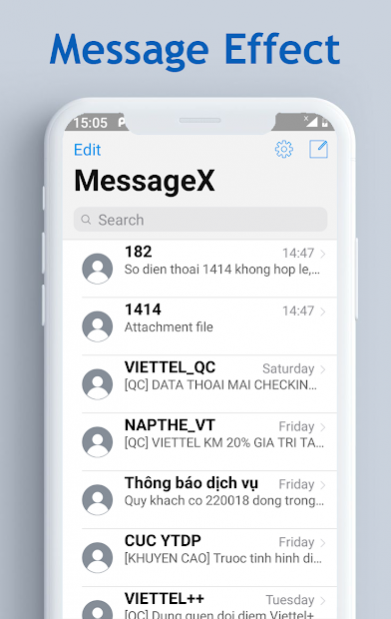


Did you get bored with the default messaging application on your phone? Do you want a color messaging application, there are many font, theme, or alternative options for texting? Did you use many messaging applications but have not really satisfied?
Message Effect messaging application certainly does not disappoint you. 🍎 Message is the combination of COOL Material UI Style Android P and HOT Master Material Design 🍎. Come on, take a look at the app introduction video to know you like it at first sight.
Message Effect application definitely has the basic functions of a message application such as: sending and receiving messages, sending photos, sending voice, sending emoji, or even likes to recipients is easy. In addition, you have a lot of options for the messaging application that you have to explore for a long time to use, which is a lot of cool functions.
For example: long press on the send button you will have additional message effects like (confetti, fireworks, lighting, happy birthday ...)
Quick message reply, you will have more functions in the Settings section such as changing theme, replacing bubble, replacing the background, changing the message sound, vibrating.
* Some main functions in the application:
🍎 Send and receive SMS messages.
🍎 Send and receive photos, emoji, audio, like via MMS
🍎 Change application wallpaper.
🍎 Change the bubble of incoming and outgoing messages
🍎 Change the sound for the message
🍎 Display and reply to messages with the "Enable bubble" section in the settings.
🍎 Select vibrate mode for incoming messages.
🍎 Create new messages with many options for drawing or emoji
🍎 Take a picture and send it immediately after shooting.
🍎 In the message details section, drag from the right to the left to see the date and time.
🍎 Keep and Click on 1 message details to add more options for copy, delete...
🍎 Swipe 1 message in the list you will have the option to delete the message or receive the message in silence.
🍎 Popup Message will appear on the screen allowing you to quickly reply to a message as soon as you receive it.
Note: In order for you to be able to use all of the new Message features you need to accept Message Effect as the default messaging application of the system and accept the full rights that the application requires.
This is a free version and has ads.
And many other functions waiting for you to explore when using. Please send us immediately to know how you like this application. If you don't really like it, just tell us how to do it or the function you want to have in this messaging app or need to change it. Don't be afraid to tell us your requirements because it's free. Any suggestions please send to email: datvant1995@gmail.com
About Color Message - Effect Messenger
The company that develops Color Message - Effect Messenger is Trương Văn Đạt. The latest version released by its developer is 4.1.
To install Color Message - Effect Messenger on your Android device, just click the green Continue To App button above to start the installation process. The app is listed on our website since 2021-04-23 and was downloaded 0 times. We have already checked if the download link is safe, however for your own protection we recommend that you scan the downloaded app with your antivirus. Your antivirus may detect the Color Message - Effect Messenger as malware as malware if the download link to com.messenger.messageeffect is broken.
How to install Color Message - Effect Messenger on your Android device:
- Click on the Continue To App button on our website. This will redirect you to Google Play.
- Once the Color Message - Effect Messenger is shown in the Google Play listing of your Android device, you can start its download and installation. Tap on the Install button located below the search bar and to the right of the app icon.
- A pop-up window with the permissions required by Color Message - Effect Messenger will be shown. Click on Accept to continue the process.
- Color Message - Effect Messenger will be downloaded onto your device, displaying a progress. Once the download completes, the installation will start and you'll get a notification after the installation is finished.
Program Details
System requirements
Download information
Pricing
Version History
version 4.1
posted on 2021-04-23
- Update App
version 4.0
posted on 2021-01-08
- New Déign
- Fix Bug
version 3.0
posted on 2020-05-09
- new déign
version 2.3
posted on 2020-03-15
Disclaimer
Official Google Play Link
We do not host Color Message - Effect Messenger on our servers. We did not scan it for viruses, adware, spyware or other type of malware. This app is hosted by Google and passed their terms and conditions to be listed there. We recommend caution when installing it.
The Google Play link for Color Message - Effect Messenger is provided to you by apps112.com without any warranties, representations or guarantees of any kind, so access it at your own risk.
If you have questions regarding this particular app contact the publisher directly. For questions about the functionalities of apps112.com contact us.
